Microsoft Planner

Microsoft Planner

By Microsoft Corporation

  • Category: Productivity
  • Release Date: 2017-05-18
  • Current Version: 1.17.18
  • Adult Rating: 4+
  • File Size: 157.83 MB
  • Developer: Microsoft Corporation
  • Compatibility: Requires iOS 17.0 or later.
Score: 4.6
4.63388
From 13,157 Ratings

Description

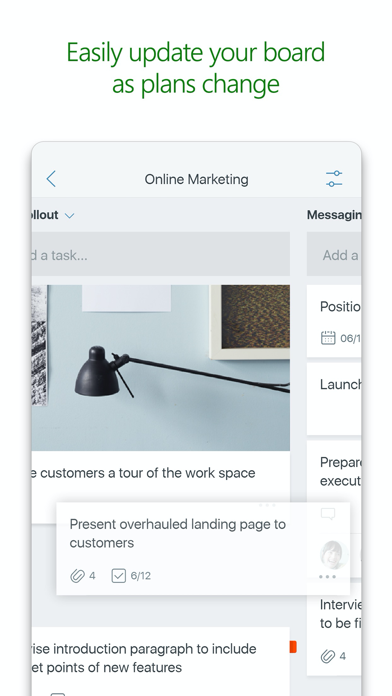
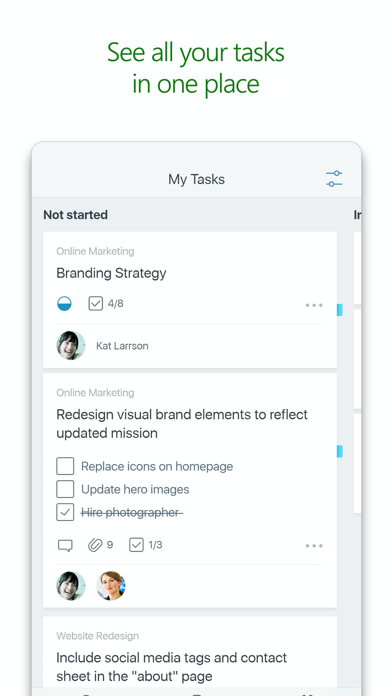
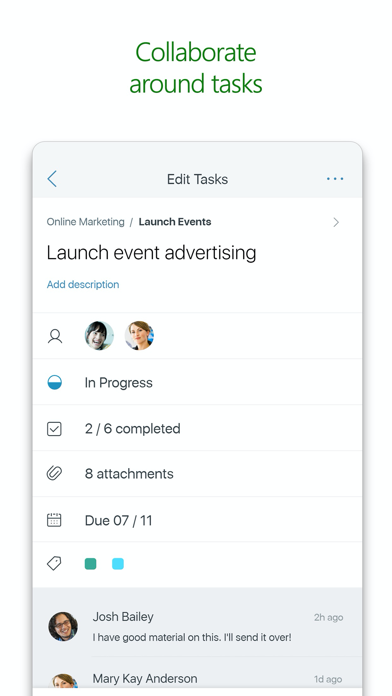
Microsoft Planner requires an eligible Office 365 work or school subscription. This app does not support Office 365 personal accounts (for example: name@outlook.com or name@hotmail.com). If you are not sure about your company’s subscription or the services you have access to, please contact your IT department. Planner provides a simple, visual way to organize teamwork. Planner makes it easy for your team to create new plans, organize and assign tasks, share files, chat about what you’re working on, and get updates on progress. -- Organize work visually -- Each plan has its own board, where you can organize tasks into buckets. You can categorize tasks based on their status or on whom they’re assigned to. To update the status or change assignments, just drag and drop tasks between columns. -- Visibility -- The My Tasks view provides a comprehensive list of all your tasks and their status across all your plans. When working together on a plan, team members always know who is working on what. -- Collaborate -- Built for Office 365, Planner lets you work together on the same tasks, attach captured photos directly to them, and even have conversations around tasks without switching between apps. With Planner, all your team’s discussions and deliverables stay with the plan and don’t get locked away across disparate applications. -- Works across devices -- Planner works across all your devices. And with Planner, everyone is always on the same page. Continue conversations and updates tasks while on-the-go or at your desk. Terms of service: https://go.microsoft.com/fwlink/?linkid=846830 Privacy policy: https://go.microsoft.com/fwlink/?LinkId=521839 To learn more, please visit https://go.microsoft.com/fwlink/?linkid=849067 The Microsoft Planner app will request permission to access your photos and your camera: When you try to attach a photo to a Planner task, the app requests permission to access your Photos app in order to select images. If you choose to take a photo to attach to a Planner task, the app will request permission to access your Camera app.


Screenshots

Reviews

  • Notifications in App

    3
    By ASF1989
    I need to be able to notify my team while on the go. The notifications on the task chat in the desktop is great, but doesn’t help when in the field.
  • Premium Planner Plans not supported

    1
    By Al I eksal
    Premium Planner Plans not supported on app
  • Works great but could be better

    4
    By WaspyWizard
    It would be nice if Microsoft followed through and did not leave it half finished. Why disabled comments on the pc but not on phones? Also they created task chat on PC but did not enable it on phones. Please go one way or the other and not leave it in limbo. Also please allow drag and drop for attachments. I would love email messages for either task chat or comments. This app works well for team collaboration so please follow through. Thanks
  • Plan view is painful

    2
    By JonnyEastside
    It’s a start… at least I can see tasks assigned to ME on the go. Initially plans group by favorites but then once you click in, good luck. It’s random. No sorting to get back to the list of favorites. The desktop browser version calls these pinned. So annoying… but better than nothing.
  • Missing Task Chat

    3
    By LRios90
    Web-based software application was updated and the comments in the task card became Task Chat. This update is missing on the mobile app
  • Me

    1
    By dislikewebex
    Microsoft sucks
  • Premium plan doesn’t work

    1
    By Uofkrocks120
    My workplace pays for a very expensive premium license and it doesn’t work in the app. It only has the basic features.
  • Needs to update planner logo

    2
    By Nick Holzthum
    Uses the outdated planner logo. Shows how little attention this app is getting
  • Péssimo

    1
    By Joao.Lemes
    Ele entra em loop quando voce tem licença premium.
  • Pretty good

    4
    By Gigi Musique
    Nice and simple. I sure hope it gets more customization options. I’d love to see a progress bar on the basic tier

Comments

keyboard_arrow_up

Buy this script Now!