Windows App

Windows App

By Microsoft Corporation

  • Category: Business
  • Release Date: 2017-11-28
  • Current Version: 11.4.0
  • Adult Rating: 4+
  • File Size: 90.49 MB
  • Developer: Microsoft Corporation
  • Compatibility: Requires iOS 14.0 or later.

Description

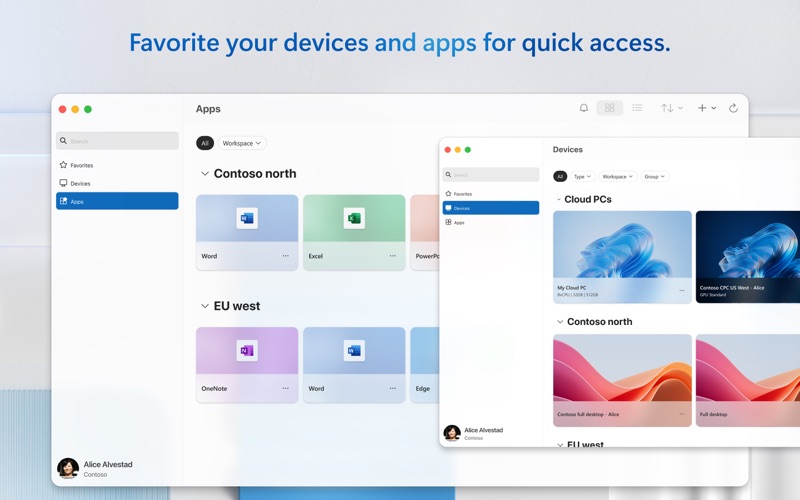
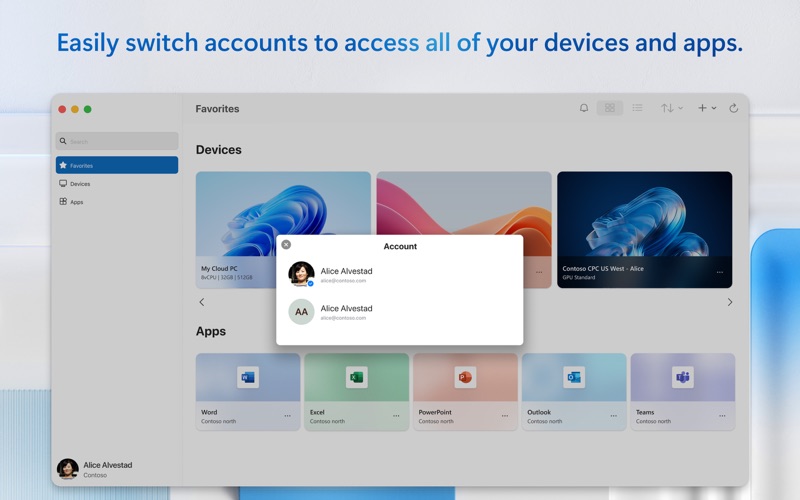
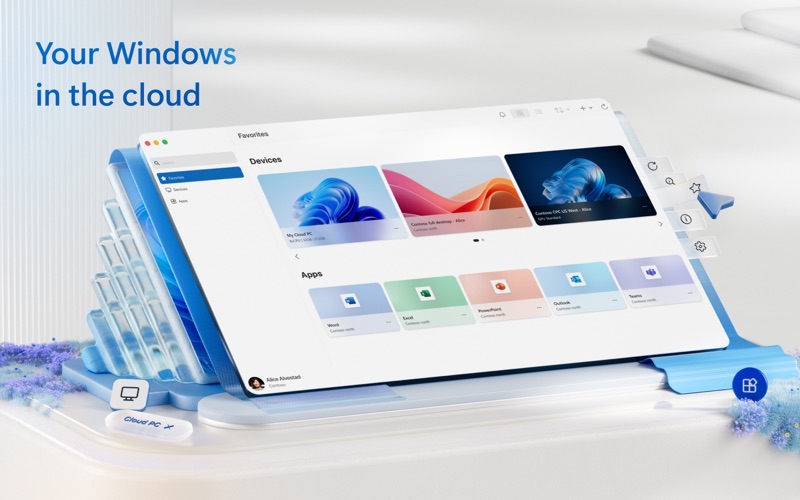
Windows App for Mac (previously named Microsoft Remote Desktop) is your gateway to securely connect to Windows including remote PCs and admin-provided virtual apps and desktops across Windows 365, Azure Virtual Desktop, Dev Box and Remote Desktop Services. Embrace the simplicity of a unified client with Windows App and connect to Windows in the cloud with ease and security, from the device of your choice. GET STARTED • Learn more about the features of Windows App at https://aka.ms/WindowsApp. • Configure your PC for remote access using the information at https://aka.ms/rdsetup. KEY FEATURES • Access remote PCs running Windows Professional or Enterprise and Windows Server. • Access managed resources published by your admin. • Connect through a Remote Desktop Gateway. • Simplified management of your connections and credentials from the Connection Center, including a Favorites page to cater to your unique workflow needs. • Audio and video streaming. • Redirect folders, your clipboard, and local devices such as microphones and cameras. • Teams Media Optimization. • Support for multiple monitors. By downloading Windows App, you agree to the license (see https://aka.ms/WindowsAppLicense) and privacy terms (see https://aka.ms/privacy).

Screenshots

Reviews

  • Works Well

    4
    By Reamrat
    No issues - a savior for when you need to connect to your Windows machine to help people with Quick Assist.
  • Simple perfection

    5
    By Decent Match 3 game
    I use the Windows App on my Mac to connect to numerous servers for work. I love how I can save and organize each, search for the one I need, and mark some as favorites making access even easier. IMHO, the Windows App for MacOS is superior to the one deployed with the Windows OS!
  • no longer launches after latest update

    1
    By Bacon Labs
    it used to work but no longer launches. Apparently no one is testing this app.
  • major step backward from Remote Desktop — unstable & broken workflow

    1
    By Juristdiction
    The transition from microsoft Remote Desktop to the new windows App has introduced severe stability and usability regressions. Session disconnects are frequent, display scaling resets arbitrarily, and input latency makes precision remote work nearly impossible. Keystroke passthrough and multi-monitor handling are noticeably worse than the legacy client, disrupting daily operations. I rely heavily on remote access for mission-critical workflows, and the lack of reliable connectivity is unacceptable. I need engineering support to troubleshoot these session dropouts and credential handling errors. Put me in direct contact with your diagnostics team or enroll me in the internal beta testing group—I am ready to provide full debug logs, step-by-step reproduction traces, and actionable telemetry to help your team actually fix this app.
  • FIX AUDIO ROUTING

    1
    By jfwiedmayer
    For the love of god please fix the audio rerouting! If I am on a Team Call (your product) and I connect my headphones the audio (speaker and mic) does not and cannot reroute to the new device. This feels like a poor implementation of RDP instead of a Citrix Horizon killer. What are you looking to be, any early 2000’s app or a modern remote viewer?!? The comments above directly go with using my WORK M365 cloud desktop!
  • Stop asking me

    1
    By TriUT
    Asking me to review your app = one star.
  • Smart cards

    4
    By midnightjoe$
    The app works really well. The one place I would like to see improvement is if they could make the smart card redirection work at the initial login screen of the remote system. Currently we have to have a password enabled on the user account so we can enter the credentials in the app. The password get us to the machine, the machine then prompts that it requires smart card to login, then finally the smart card redirection works.
  • Great ap

    5
    By Danny Tram
    Good app to connect to remote desktops. It provides diagnostic data in case you want to troubleshoot your machine. Lovely app and intuitive interface
  • Latest download august 15th 2026 disconnects

    4
    By ginoLogic
    Been using Windows App for a while to remote to to windows 10 laptop. Has worked flawlessly. Now this latest update is disconnecting after an undetermined amount of time. Not sure yet what/when is causing the disconnect. But also, settings has auto reconnect enabled - it is not doing that.
  • Randomly stops working

    1
    By I am kj
    Randomly decides that it cannot connect to a windows 11 computer - “The graphics display components in the remote session failed to start up.”

Comments

keyboard_arrow_up

Buy this script Now!