Notability: AI Notes & PDF app

Notability: AI Notes & PDF app

By Ginger Labs

  • Category: Productivity
  • Release Date: 2010-04-01
  • Current Version: 16.2.2
  • Adult Rating: 4+
  • File Size: 397.31 MB
  • Developer: Ginger Labs
  • Compatibility: Requires iOS 17.0 or later.
Score: 4.7
4.76128
From 447,628 Ratings

Description

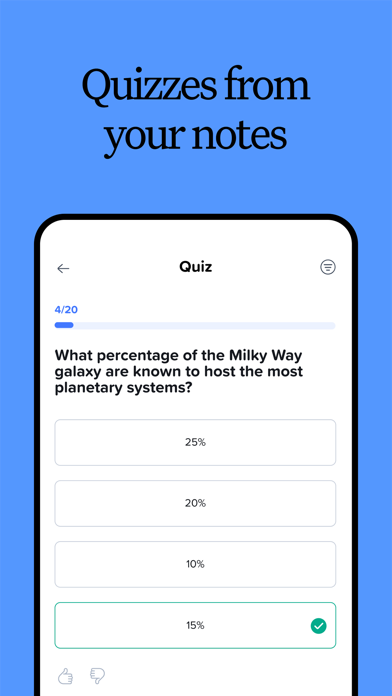
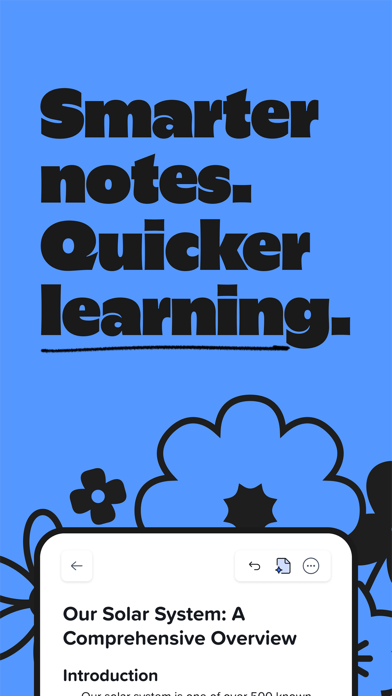
From your first lecture to your next big meeting, Notability helps you think, learn, and work better. Take handwritten notes, annotate documents, record audio, and stay organized in one place so your ideas are always clear, searchable, and ready when you need them. FREE DIGITAL NOTES FOR WORK & SCHOOL • Write, type, or sketch with digital ink, highlighters, and text tools. • Mark up anything: PDFs, textbooks, lecture slides, images, and more. • Combine handwriting, typed text, images, diagrams, and sketches on the same page. • Stay organized with customizable folders and subjects that grow with you. FOR PROFESSIONALS: WORK SMARTER AND SAVE TIME • Mark up documents, capture meetings, organize ideas, and present with confidence. • Import and handwrite on any document: PDFs, DOCs, presentations, reports, and more. • Fill out forms in the office or on a job site. • Combine handwriting, text, photos and documents in one place. • Record calls and meetings to transcribe voice in real-time. Audio is synced to your notes so nothing is missed. • Receive automated meeting notes, takeaways, and summaries. • Search handwriting, transcripts, text, and PDFs to quickly revisit decisions and action items. • Present notes, documents, and ideas in full screen, with a laser pointer to guide attention. • View and edit two notes side-by-side to stay focused and productive. • Share a PDF of your note in one tap. FOR STUDENTS: STUDY SMARTER AND ACE EXAMS • Take handwritten notes digitally or annotate lecture slides or your textbooks. • Record lectures and get instant audio transcripts and real-time summaries in your notes. • Audio recordings are synced to the exact moment you write in a note — perfect for lectures. • Import lecture slides, textbook PDFs, and assignments into organized folders and subjects. • Search across handwriting, typed notes, and transcripts to instantly find content from classes. • Study content from your note with personalized quizzes and flashcards to practice with active recall. • Chat with your notes to review concepts, clarify ideas, and prepare for exams. WORK YOUR WAY • Seamlessly switch between handwriting and typing. • Import files instantly and keep everything connected. • Share notes easily to collaborate or get feedback when needed. • Access your notes across iPad, iPhone, Mac, and the web. • Create beautiful notes using templates from the Notability Gallery. UPGRADE TO A NOTABILITY SUBSCRIPTION Notability is free to use. With an upgraded subscription, you can receive: • Unlimited note-taking • AI-powered productivity and study tools • Handwriting recognition and math conversion • Live Audio transcripts • Auto-backup and iCloud sync Download for free on iPad, iPhone, Mac, and web. Privacy Policy: notability.com/privacy Terms of Service: notability.com/terms

Screenshots

Reviews

  • RUINED BY AI

    1
    By soundfanatic
    i cancelled my subscription and am now switching to an app that doesn't use AI or push AI slop. what a sad and frankly pathetic end for this app. restricting formerly free features and putting them behind a paywall is transparent. gfy.
  • Not what it used to be

    2
    By Lazy Brainiac
    I started using this app for my math study from textbooks in late 2024 because the builtin Notes app from Apple was making my iPad Pro very hot. My use case was and still is to create a new note for each chapter in a textbook and work through all the exercises using an Apple Pencil. And Notability worked great for me. But then the AI craze started. Months ago, I asked them to add more pen thickness options, and I also asked them to add support for more shapes, curves with multiple vertices, two headed arrows, etc. But no, who cares about that boring stuff when there’s the the AI hype bubble FOMO in action! The developers keep adding AI features most of us don’t care about. And don’t invest any time/effort into improving the features that made the app great in the first place. And, oh the irony, it recently started making my iPad Pro hot… Great job, guys! It's a great way to lose your core target audience. Hopefully, having "AI" in the app name will bring you enough money from all the AI hype investors to compensate for the all the money you'll keep losing by making your core audience unhappy.
  • Great notes

    4
    By Littlegreensapling
    This is the best app I’ve used for notes on my I ps the only thing is gorge is limited me even with just 4 classes after half a semester I had to transfer files and also I would love more decorative themes it really does help when u can customize things
  • Used to be perfect

    1
    By erikaaaaaaaaaaaaaaaaaaaa
    This has literally been my go to app for the last 7 years of my academic career - I’ve taken all my notes and written all of my outlines on this app, but it’s become virtually nonfunctional without paying for a subscription. It won’t open my notes (they’re perpetually loading), and it freezes nonstop. I’m so disappointed after loving this app for so long.
  • kinda scummy practices :(

    1
    By emBBQ
    i paid for this app years ago i should continue to have access to everything i paid for at the time of my (what was advertised at the time as a) one-time-purchase changing what paid users have access to and putting it behind a monthly paywall is completely scummy behavior :(
  • Great features, but text box ruined my notes

    3
    By krista_w
    Wanted to love it, but I keep experiencing problems with the text boxes getting lost or becoming unable to be moved at all. Ruined my notes I worked hard on. Unfortunately, I can’t continue to use this product.
  • New Update

    1
    By christiangrossarth
    The newest update on Mac resulted in my entire notes library being removed from my Mac. Not to be returned unless I do it by hand from my backup source.
  • Thank you notability

    5
    By llyddiim
    I would not be passing nursing school without notability
  • love new notability cloud

    5
    By Hailey1500
    First, I have used Notability for 6 years and have only had one large 1000 page pdf note crash during an iCloud synch. The background pdf was removed but all my handwriting was preserved and I was able to put the notes back on top of the background. The new notability cloud feature is amazing! It is like a handwritten Google document that shows changes live across both my iPad and Windows computer! I found that audio records on either device are immediately available on the other device for playback. During playback on my iPad, I can see notes I completed on both devices being shown real time based on when they were added during the recording. However, the web side does not have this feature.
  • Notability Cloud Update is a Fail

    1
    By k_call10
    Been an active user for over a decade now and this recent notability cloud update is burning through my iPad battery and can barely load notes I use on a daily basis. Everything was perfect before the update. Will need to switch if not addressed. I use this for work and for years this has been such a reliable app.

Comments

keyboard_arrow_up

Buy this script Now!