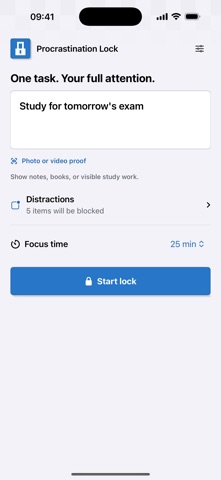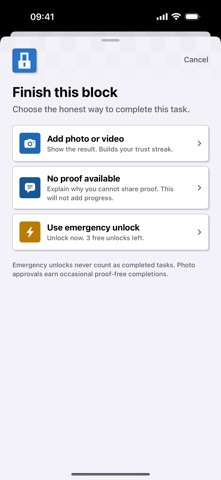

Procrastination Lock helps you focus on one task at a time. Enter your goal, choose distracting apps, and set your focus time from one setup screen. Selected apps are blocked using Apple Screen Time while you work. When you are ready, submit a photo or a short video showing the result. AI-assisted verification checks the evidence against your goal. A timer finishing alone does not mark a task complete. START WITH 3 SUCCESSFUL LOCKS FREE Your first three successfully completed locks are free. An incomplete session or technical recovery does not use one of these successful completions. After all three are used, a weekly or yearly subscription is required to start more locks. CLEAR WAYS TO END A SESSION New users receive three separate free voluntary emergency unlocks. Existing users keep their saved remaining allowance; updating does not reset it. Once that allowance is used, an additional voluntary emergency unlock costs US $0.99 as a one-time purchase in the United States; the app shows the local App Store price elsewhere. An emergency unlock ends the session as incomplete, not as a completed task. If proof verification is unavailable because of a technical problem, you can end the lock for free. This does not require a purchase, use a voluntary emergency unlock, or count as a successful task. SUBSCRIPTIONS Weekly and yearly plans renew automatically unless canceled. Eligible customers can receive a one-week free trial on the yearly plan. Trial eligibility, subscription price, billing period, and renewal terms are shown before purchase. The app displays the current localized price returned by the App Store. Manage or cancel your subscription in your Apple Account settings. Privacy Policy: https://dontdelay.xyz/privacy Terms of Use: https://dontdelay.xyz/terms Support: https://dontdelay.xyz/support