QuickBooks GoPayment POS

QuickBooks GoPayment POS

By Intuit Inc.

  • Category: Business
  • Release Date: 2009-08-03
  • Current Version: 26.10.7
  • Adult Rating: 17+
  • File Size: 253.17 MB
  • Developer: Intuit Inc.
  • Compatibility: Requires iOS 16.0 or later.
Score: 4.7
4.75376
From 6,388 Ratings

Description

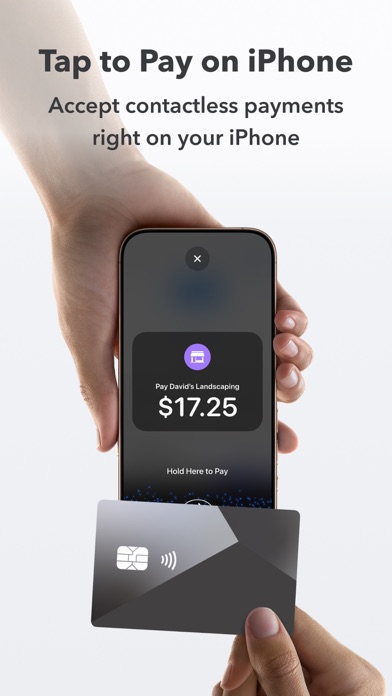
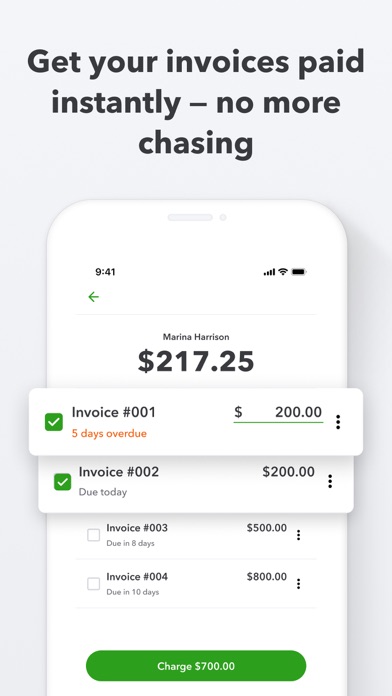
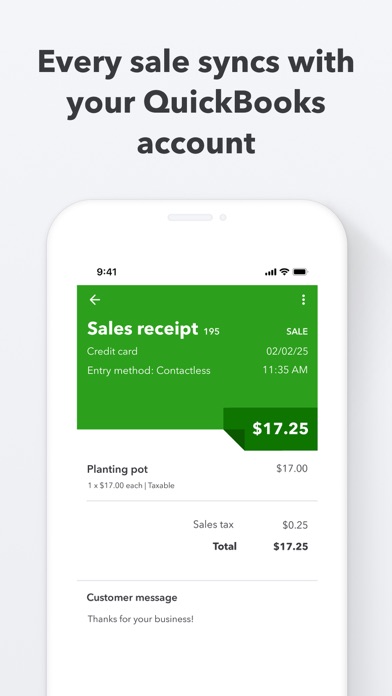
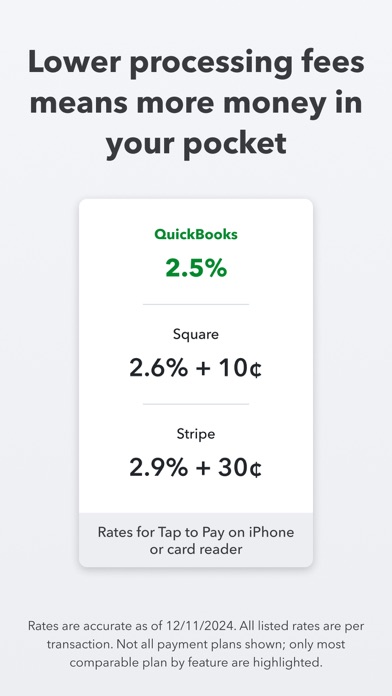
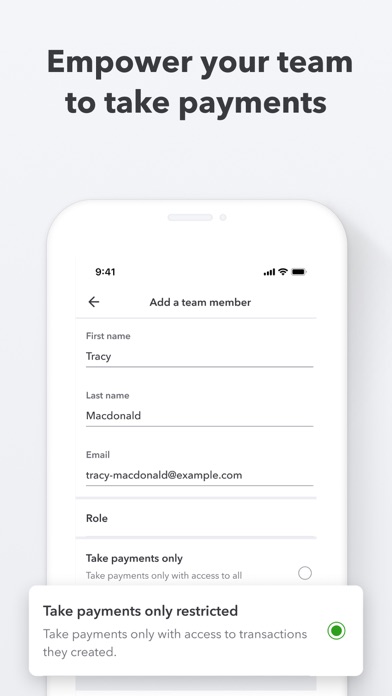
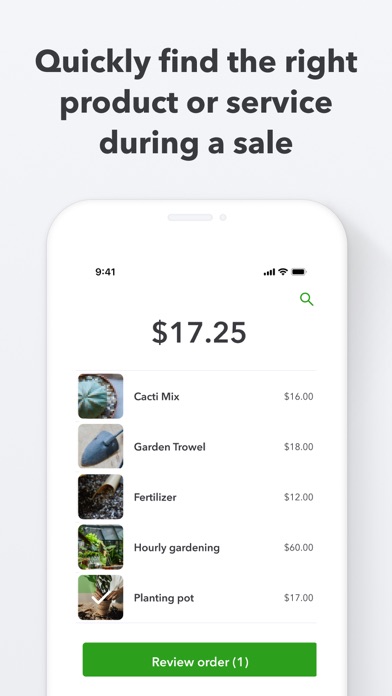
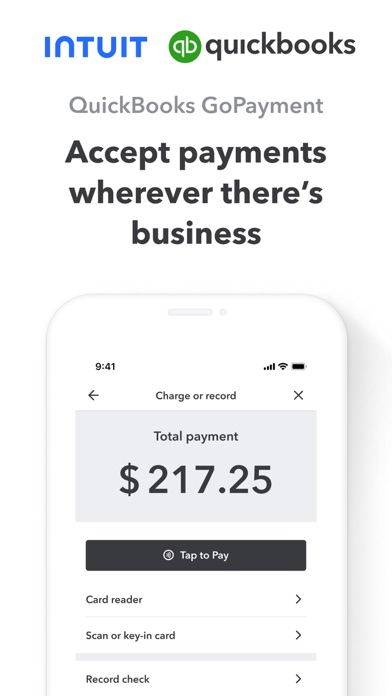
Get paid in-person or on-the-go with the QuickBooks GoPayment app. With Tap to Pay on iPhone in the GoPayment app, you can accept in-person, contactless payments, right on your iPhone — from physical debit and credit cards, to Apple Pay and other digital wallets — no extra terminals or hardware needed. It’s easy, secure, and private. Terms apply**. Use the GoPayment app as you scale, so your employees can take payments on their device or card reader without accessing your sensitive business data. Settle unpaid invoices on the spot and get fast access to your payments without the hassle of chasing them down. Every sale made with the mobile app or card reader syncs with your QuickBooks Online account, so your books are up-to-date with your latest sales. Start accepting payments right away with competitive processing fees at just 2.5% for in-person card payments - visit https://quickbooks.intuit.com/payments/payment-rates/ to see all rates. Other app features: - Collect or retrieve existing customer details and send a text or email receipt on the spot. - Easily add products or services during a sale, and the GoPayment app calculates the total with sales tax, tips and any discounts. - Easily create products and services—with labels and prices—so you can quickly find the right item during a sale. - All your deposits are listed in the app, with status updates on pending funds so you never wonder where your money is. - Visa, MasterCard, Discover, and American Express debit and credit cards are all accepted. Money movement services are provided by Intuit Payments Inc., licensed as a Money Transmitter by the New York State Department of Financial Services **Product features Tap to Pay on iPhone requires a supported payment app and the latest version of iOS. Update to the latest version by going to Settings > General > Software Update. Tap Download and Install. Some contactless cards may not be accepted by your payment app. Transaction limits may apply. The Contactless Symbol is a trademark owned by and used with permission of EMVCo, LLC. Tap to Pay on iPhone is not available in all markets. For Tap to Pay on iPhone countries and regions, see https://developer.apple.com/tap-to-pay/regions/. Apple Pay is a service provided by Apple Payments Services LLC, a subsidiary of Apple Inc. Neither Apple Inc. nor Apple Payments Services LLC is a bank. Any card used in Apple Pay is offered by the card issuer. Privacy Link: https://www.intuit.com/privacy/ Developer Website: https://quickbooks.intuit.com/payments/mobile-payments/ Intuit Payments' money transmission licenses: https://www.intuit.com/legal/licenses/payment-licenses/ Order A Card Reader: https://quickbooks.intuit.com/payments/readers/ Terms, conditions, pricing, features, service and support are subject to change without notice.

Screenshots

Reviews

  • Product Photos Disappeared

    1
    By out dude
    I use the Gopayment app at a market once a year. Last year (October 2025), it worked perfectly. This year, all of my product photos were gone and the SKU option isn’t even showing. So, prior to market, I uploaded ALL of my product photos. However, when I went back to QB Online, all of the SKUs were removed from my products! So, I started to manually re-input all of the SKUs…to then have ALL of the photos of my Online products disappear after the SKUs were added! What the heck is going on?! I’ve been in touch with the Resolution Center many times, but there is no predicted fix of this issue. How am I supposed to run a small business when information that already is in the QB system is being removed by the company?!
  • Botched update

    1
    By Jeffthelandshark67
    After the most recent update after running a payment it no longer allows you to “get it now” it takes you to the screen but there is no button to collect.
  • Customer tip option, not incorporated into tap to pay

    2
    By Nick Arzio
    When using manual entry credit card option or external card reader, you can select an option to require the customer to enter a tip level before completing the transaction, but you cannot do this with tap to pay. All of my customers want to use tap to pay because it’s fast but my employees are missing out on Tips because the Customer is not prompted to leave a tip. This amount amounts to thousands of dollars each month lost in tip income
  • Instant deposit

    1
    By MattFMartinez
    Now I can’t instantly deposit funds when I want. Not sure what happened but it needs to be fixed. Especially for all the money I pay to QuickBooks
  • Doesn’t work on iPad.

    1
    By red1937593947
    Their software won’t open to do anything with it
  • Deposit now doesn’t work for iOS

    3
    By Nickjahahahahahah
    Deposit now doesn’t work for iOS , the option doesn’t pop up on tablets
  • This app glitches way too often

    1
    By TKObvious
    This app is problematic. Always more so on my iPad (iPhone 16 pro fares better but still needs closed out constantly or the login screen doesn’t fully load and you have to close and try again) We use this to check people out at the front of our store. I’ve been getting a message that states “! Something Went Wrong” and “Request Failed…” This is problematic for credit cards, even cash or check payments. I finally got the right number to call and Francesco was nice to talk with but nothing has been fixed. I even have an email from QBO but you get a trash auto response when I try to communicate, and the F@“&ing link to click sends you to a page that says ACCESS DENIED, oh it’s hilarious!! My iPhone that isn’t problematic won’t log in now, just a loading screen for 60 seconds and then it times out. All the pics I loaded in for our products haven’t shown up on the iPad version for over a year. Wow, it’s bad. I liked that it tied directly to our accounting but I am forced to go back to square or clover and manually import the sales daily, as it beats this nonsense.
  • Worst App & Service

    1
    By Milawallace
    This APP, Quickbooks itself is honestly a business owner’s worst nightmare! I have had nothing but issues, broken systems, HORRIBLE customer service & hair pulling days just using their services. I don’t understand how they keep getting by! Don’t use this App and don’t use quickbooks for any of your business needs
  • Good for people who don’t have to depend on it to work

    1
    By FleurdeSea
    By far the worst pos program I have ever used. It doesn’t work more often than it works correctly. Definitely not something that you can depend on to run your business
  • DCnF

    1
    By Killa245
    No support. Last 24 hours app will not login so unable to take payments even through my service is active.

Comments

keyboard_arrow_up

Buy this script Now!