Intuit QuickBooks for Business

Intuit QuickBooks for Business

By Intuit Inc.

  • Category: Business
  • Release Date: 2013-02-14
  • Current Version: 26.10.4
  • Adult Rating: 17+
  • File Size: 498.42 MB
  • Developer: Intuit Inc.
  • Compatibility: Requires iOS 16.0 or later.
Score: 4.7
4.73797
From 274,101 Ratings

Description

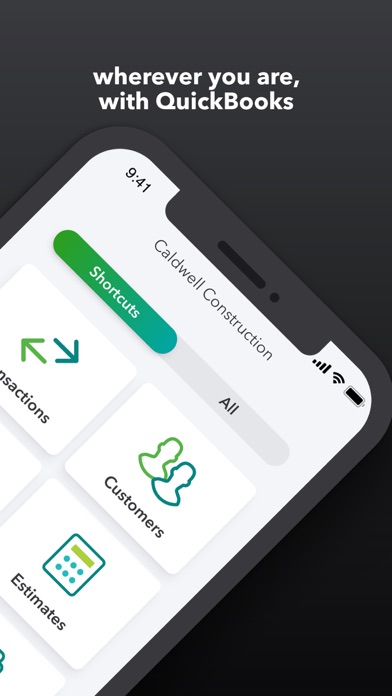
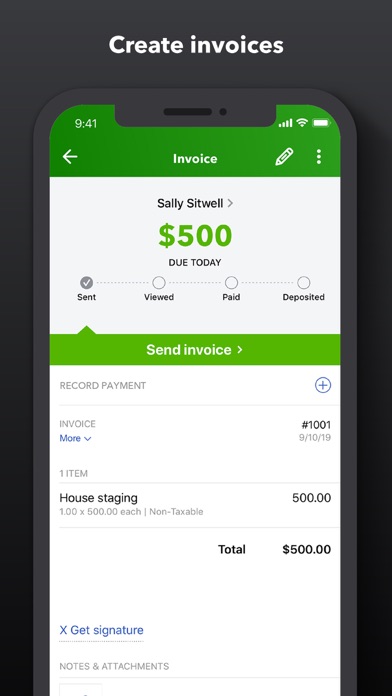
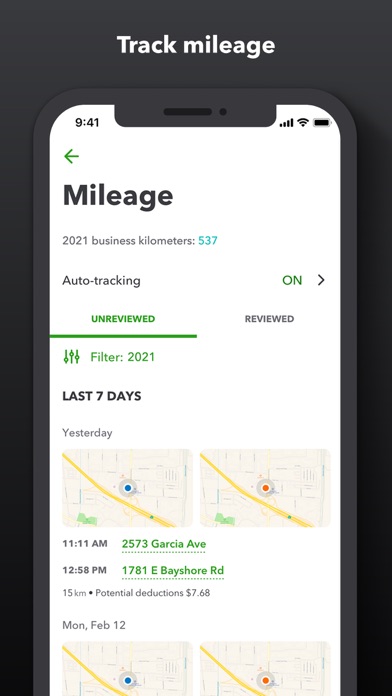
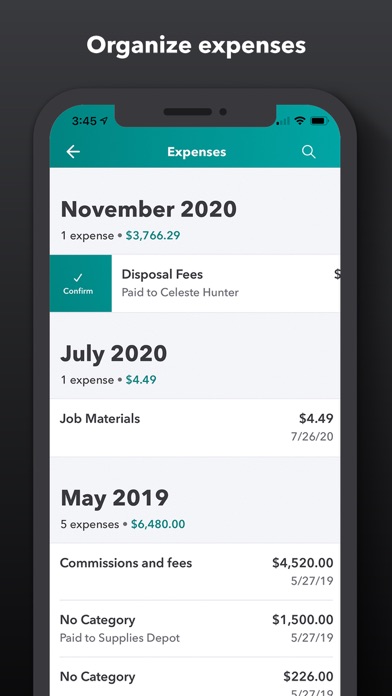
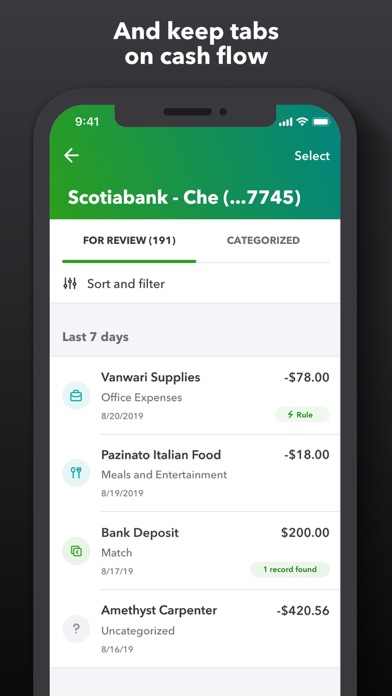
QuickBooks helps millions of small businesses and self-employed professionals around the world manage invoicing, expense tracking, bookkeeping, and accounting on the go. GET MORE DONE IN LESS TIME The QuickBooks mobile app lets you handle accounting, payments, and customers on the go. SEE YOUR PROJECTED CASH FLOW Check your upcoming cash flow position at a glance by running a detailed report. See where you’re headed—right from the app. PERSONALIZED BUSINESS INSIGHTS Run custom reports from anywhere to get insights that help you make smart decisions. Drill down to the transaction behind any number so you can see what’s driving change. Every business insight uses your actual history and the patterns of 7 million businesses.* ANSWERS BECOME ACTIONS Create personalized automations or set up actions from a template. Simply tell Intuit Intelligence chat what you want it to do, and set a schedule as needed. [Beta] SEND INVOICES FROM ANYWHERE Create professional invoices your customers can pay online right away, right from your phone. Keep work moving with voice-powered invoicing using Siri. RECEIPTS IN A SNAP, NOT A PILE Snap receipts, business cards and handwritten notes, and QuickBooks captures the details so your books and contacts stay up to date. GET PAID RIGHT FROM YOUR PHONE Accept payments—from physical cards to digital wallets—right from your phone. Every transaction automatically syncs to QuickBooks. AUTOMATICALLY TRACK MILES Maximize your tax deductions with less effort. Your phone's GPS automatically tracks mileage, and you can categorize trips in a tap to stay organized. Not compatible with QuickBooks Desktop for Windows or Mac. Beta features have very limited availability and are subject to change. Features may be more broadly available soon. #1 accounting software for small businesses, based on PCMag Review as of 2025. *Business insights based on internal QuickBooks data Terms, conditions, pricing, special features, and service and support options subject to change without notice. From INTUIT Makers of: QuickBooks, TurboTax, Credit Karma & Mailchimp Visit: • https://www.intuit.com/privacy/statement/ to learn how Intuit protects your privacy. • https://www.intuit.com/legal/terms/en-us/quickbooks/online/ to read the Intuit terms of service. SUBSCRIPTION INFORMATION • Your Apple account will be charged when you confirm the purchase. • Subscription will automatically renew unless you turn off auto-renew at least 24 hours before the end of the current period. • Your Apple account will be charged for renewal within 24 hours prior to the end of the current period. • You can manage your subscription and turn off auto-renewal by going to your Apple account settings after purchase. On your device, go to Settings, tap your Apple ID, then tap Subscriptions, and tap Cancel subscription. • You'll give up any unused portion of a free trial period when you purchase a subscription. • Limited availability. Features may be more broadly available soon. • Tap to Pay on iPhone: Tap to Pay on iPhone requires a supported payment app and the latest version of iOS. Update to the latest version by going to Settings > General > Software Update. Tap Download and Install. Some contactless cards may not be accepted by your payment app. Transaction limits may apply. The Contactless Symbol is a trademark owned by and used with permission of EMVCo, LLC. Tap to Pay on iPhone is not available in all markets. For Tap to Pay on iPhone countries and regions, see https://developer.apple.com/tap-to-pay/regions/. Apple Pay is a service provided by Apple Payments Services LLC, a subsidiary of Apple Inc. Neither Apple Inc. nor Apple Payments Services LLC is a bank. Any card used in Apple Pay is offered by the card issuer. • Money movement services are provided by Intuit Payments Inc., licensed as a Money Transmitter by the New York State Department of Financial Services Intuit, 2700 Coast Ave, Mountain View, CA 94043

Screenshots

Reviews

  • TRASH APP

    1
    By MLR construction
    Trash app…… says my bank account is linked but shows no updates….. definitely canceling my subscription and going somewhere else. I don’t recommend this app at all if you’re starting new
  • Would be lost without QB

    5
    By kristyniman
    Quickbooks will always be the trusted accounting software for our small business.
  • Makes my life easier.

    5
    By K9bruh
    A One stop shop that allows me organize expenses, profit , etc…
  • QB is generally great, but the iPad app needs a lot of work

    3
    By xint
    I think the app has actually declined a little bit. I use the iPad app mostly for checking invoice and bank transaction status. Pages don’t feel like they are refreshing properly. The invoice page doesn’t filter or sort correctly.
  • Awesome!

    5
    By Zberube
    We have been using quickbooks for 5 years. With a small business we face a lot of ups and downs. Quickbooks keeps us going!
  • Option

    5
    By Kelly Stampe23
    I love that my QuickBooks has all the options I need for any part of my business. Every time I turn around, I have answers.
  • $155 a month

    3
    By Sng gunner
    I feel like it’s more than doubled in price since we bought it. That’s really the only thing I can say that is bad about the app.
  • AP

    5
    By rpizzle340999
    Great 💜💜
  • OK but Limited Feature Set

    3
    By Evan Stumpges
    Was hoping I could handle my treasurer’s workflow in this app for a non-profit organization which includes categorizing financial transactions and creating monthly reports. The Accounting menu in the app has a Bank Transactions tab which lets me handle transaction processing for our bank accounts but sadly it is missing the Integration Transactions tab so I am not able to process any of our PayPal POS sales transactions. I’m headed back to QuickBooks Online which has all of the features I need to complete my tasks.
  • Needs an option to turn off AI features

    3
    By Vrampone
    The response I received is a joke. It absolutely pre selects the tone of reminder invoices without asking in the mobile app and if you don’t catch it and hit send thats a problem. It also pops the screen up again after I change it back to my tone selection, which seems intentional to make users accidentally select a different one because the more stern tones are conveniently located right where I would be pushing the send button if the AI bar didn’t pop up at that same time. The mobile app needs a ton of work to be in line with the online version. The app doesn’t support the custom settings for invoice reminders and that’s just one difference. A lot of businesses are mobile and need the app to mimic a computer. Let’s not even get started on the auto transaction postings not working properly lately. Had to spend two hours of my day on the phone with customer service just yesterday. With every update, more AI is added. I do not need AI to write emails to my customers or to choose what tone to communicate with them in. Several times since the recent updates, the AI features have nearly sent stern invoice reminders to customers that did not require that. I would love nothing more than to be able to turn that off so that every time I send an invoice reminder I don’t need to be double checking that AI didn’t do something I didn’t want to do. Same goes for when I create invoices and it tries to prompt me to convert to recurring because I’ve billed the same amount previously. If I wanted to, I would. All of this was added under the guise of efficiency, but having to deal with all these features has made my work take longer. Please create an option to turn off some of these AI prompts and features.

Comments

keyboard_arrow_up

Buy this script Now!