
The Unarchiver

The Unarchiver

By MacPaw Way Ltd

  • Category: Utilities
  • Release Date: 2011-04-15
  • Current Version: 4.3.9
  • Adult Rating: 4+
  • File Size: 22.08 MB
  • Developer: MacPaw Way Ltd
  • Compatibility: Requires iOS 10.13 or later.

Description

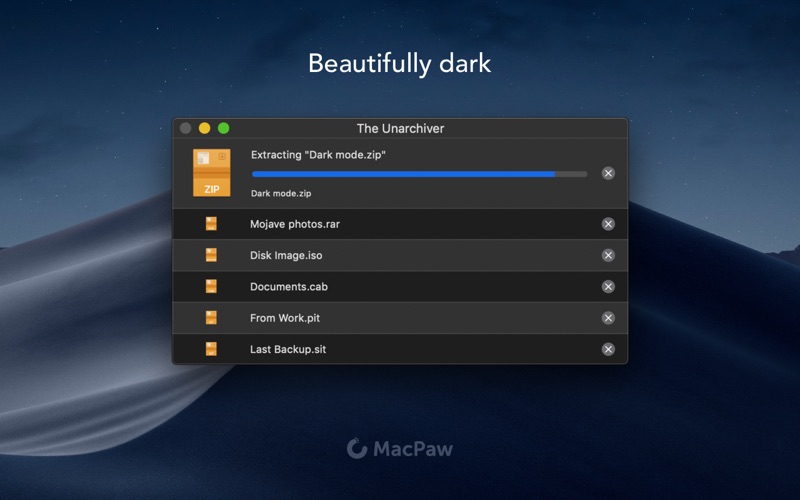
The Unarchiver is a small and easy to use program that can unarchive many different kinds of archive files. It will open common formats such as Zip, RAR (including v5), 7-zip, Tar, Gzip and Bzip2. It will also open many older formats, such as StuffIt, DiskDoubler, LZH, ARJ and ARC. It will even open other kinds of files, like ISO and BIN disc images, some Windows .EXE installers. The list is actually much longer - see the program homepage for the full list. The Unarchiver also tries to detect and correctly handle the filename encoding in the archives it opens, allowing you to open files from every part of the world without getting garbled filenames. The Unarchiver aims to be the only unarchiving program you will ever need, and to stay out of your way. Also, if you need to open archives on your iPad or iPhone, look for "Archives" on the App Store, or go to https://theunarchiver.com/archives. It is based on The Unarchiver, and lets you easily handle Archives on iOS!

Screenshots

Reviews

  • Trash developer

    1
    By AppWizard131
    Trash developer putting now ads when you extract. Garbage
  • Ads Ads Ads

    2
    By Copperzinx
    Uninstalling after you started popping up the ads. I don’t care if it’s a free program or a paid program, even 7zip doesn’t do this.
  • Fails to Extract Multi-Volume RARs!

    1
    By MyM4iMacIsOverpricedJunk
    This is such a colossal screw-up! If you trust this app and fail to pay attention to what it’s doing, you will unknowingly risk LOOSING data. Assuming the app did the job and extracted all the files in multi-part archives, I deleted the RAR afterwards - only to then realize that it didn’t extract all the files! (Only what was in the first volume or something). God knows how many files may have lost this way without even realizing. What an incompetent and reckless oversight. Unbelievable!
  • Now with Ads! Yuck!

    1
    By Orange Tang
    Ok app for many years but now with ads, right there in the ui. Time to move on.
  • Serves Malware Ads Now

    1
    By appNickname1901
    Seriously, while your files unzip…
  • Can't Open Zips!!!

    1
    By Dismaiden
    Unarchiver was unable to extract a simple zip file from my Mac.
  • Functional

    3
    By Adam-hi
    Does not give you the option to select which file types to associate it with, even though it looks like it’s offering to. It’s adware, which is fine but should be disclosed before installation.
  • Added Advertising

    2
    By IpadDad23
    4.3.9 now shows ads while the application intentionally delays extracting. Shady stuff. Stick with 4.3.0. No ads and it is much faster at extraction.
  • Automatic Subscription

    1
    By Ed Haghighat
    I downloaded the stupid thing, and after using it, a window appeared saying 7 days free subscription! There is no price on the Mac store of this stupid thing. And now I cannot unsubscribe.
  • Finally leaving the 5 stars this deserves

    5
    By GalaxyNinja66
    I am certain that for a power user, this is NOT the app to use. But there are plenty of shareware unarchiving apps for power users. If you occassionally download files of mixed extensions, this is such a convenient single program to deal with them.

Comments

keyboard_arrow_up

Buy this script Now!