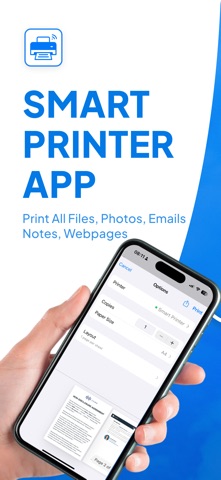
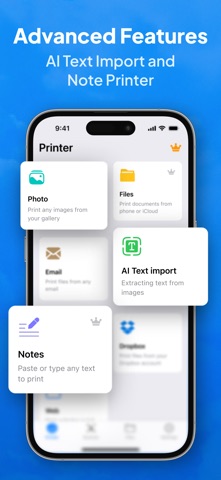
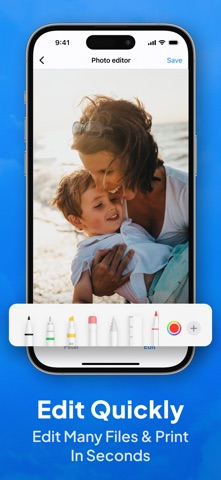
Print anything from your iPhone or iPad—instantly. Smart Printer - Auto AirPrint finds compatible printers on your Wi-Fi network and lets you print documents, photos, emails, web pages, and more in just a few taps. No drivers. No setup headaches. Just open, detect, and print. Why you’ll love it * Auto-Detect Printers: Seamless discovery of AirPrint-enabled printers on your Wi-Fi. * One-Tap Printing: Send PDFs, photos, Word/Excel files, emails, and web pages straight to your printer. * Built-In Scanner: Turn your camera into a fast document scanner with auto-crop and adjustable filters, then print or save as PDF. * Print Options You Need: Choose paper size (A4, Letter, Legal), color or B&W, copies, duplex* and orientation—if your printer supports it. * Photo Layouts: Quickly print standard photo sizes like 4x6, 5x7, 8x10. * Share Sheet Support: Print from Files, Photos, Mail, Safari, Notes, and your favorite apps via the iOS share menu. * PDF Tools: Reorder pages, add multiple pages from scans, and preview before you print. * Clipboard & Camera: Paste content from the clipboard or snap a photo and print right away. * On-Device Privacy: Your documents stay on your device and local network; printing uses Apple’s AirPrint protocols. How it works 1. Connect your iPhone/iPad and printer to the same Wi-Fi. 2. Open the app—your AirPrint printer is detected automatically. 3. Pick what to print (Files, Photos, Scan, Web), tweak options, and tap Print. Works with popular printers Compatible with AirPrint-enabled printers from leading brands like HP, Canon, Epson, Brother, and more. Features such as duplex, borderless, or specialty paper depend on your specific printer model. Perfect for * Tickets, receipts, boarding passes, and invoices * Homework, handouts, and meeting notes * Photos, IDs, and scanned documents SUBSCRIPTIONS: Please note, you will need a subscription in order to get access to some features of the app. The subscription will be automatically renewed unless auto-renew is turned off at least 24 hours before the end of the current payment period. Your iTunes account will be automatically charged at the same price for renewal within a 24-hour period prior to the end of the current payment period unless you change your subscription preferences in your iTunes Account Settings. When a subscription is canceled, access to the features will expire at the end of the current payment period. Terms of Use: https://evolly.app/terms-of-service/ Privacy Policy: https://evolly.app/privacy-policy/