MobiOffice - Docs

MobiOffice - Docs

By MobiSystems, Inc.

  • Category: Business
  • Release Date: 2023-08-20
  • Current Version: 3.1
  • Adult Rating: 4+
  • File Size: 67.16 MB
  • Developer: MobiSystems, Inc.
  • Compatibility: Requires iOS 12.0 or later.

Description

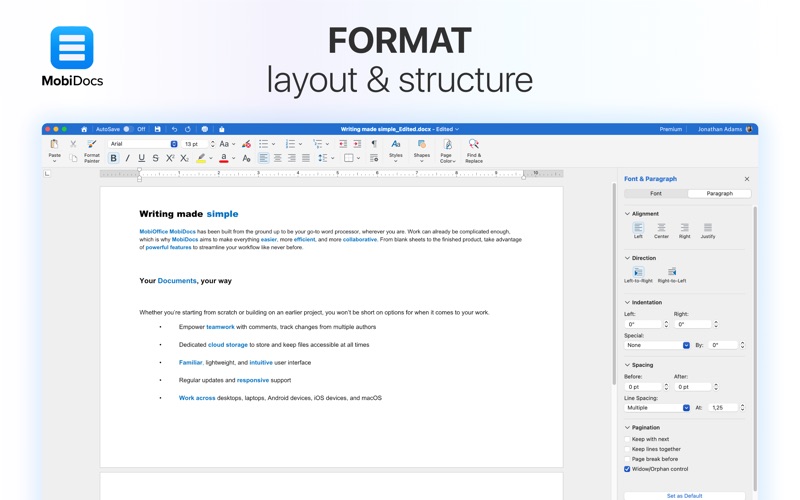
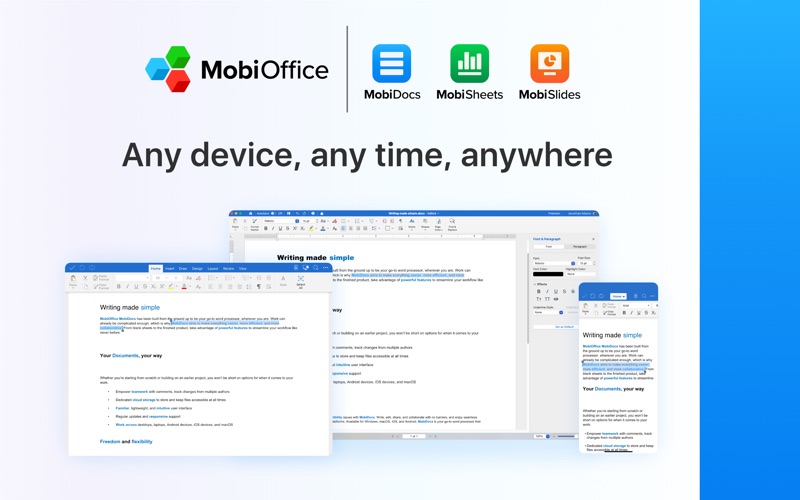
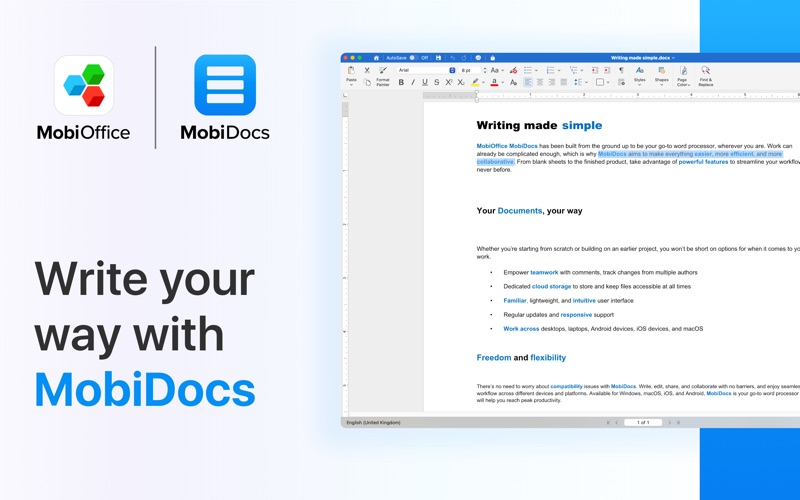
MobiDocs MobiDocs for Mac is a native and versatile word processor that allows you to create, edit, share, and collaborate on your writing projects, no matter what your profession or purpose. With its familiar, clean, and intuitive interface, MobiDocs for Mac lets you craft high-quality written work, your way. Comprehensive compatibility MobiDocs for Mac enables you to share, download, and convert files on the fly. Compatible with Microsoft Word, Google Docs, OpenOffice, LibreOffice, WPS Office, Polaris Office. Write with confidence • Create and edit engaging documents with ease with support for tables, shapes, and advanced text formatting. • Compatible with formats such as .doc, .docx, .docm, .txt, and more. • Import ODT and iWork files. • Font package with 70+ fonts. • Rich text, paragraph formatting features, and bookmarks. • Format page setup, page print options, margins, orientation, page size, and more. • Team up with different authors and keep track with word count. • Share your documents securely in just a few clicks. Easy backup and sync Store and sync files in seconds and take your files wherever you go. With MobiDrive integrated into the premium MobiDocs for Mac app, you can keep your files organized and safe at all times with easy file sharing, and downloads for offline use. Part of the MobiOffice for Mac bundle With the full MobiOffice for Mac bundle, you can easily handle documents, spreadsheets, and slides in one convenient package, designed and optimized for macOS. Featuring MobiDocs for Mac, MobiSheets for Mac, and MobiSlides for Mac, enjoy easy working across iOS and other devices, share with others, and access your files anytime, anywhere. Privacy Policy: https://www.mobisystems.com/policies Terms of Use: https://www.mobisystems.com/terms-of-use

Screenshots

Reviews

  • MobiOffice Docs: Reliable, Easy-use, Fantastic!

    5
    By Onchain Analysis
    Mobi is a reliable and easy to use word processor that enables creative and professional document creation without all the fees that you might get from other large corporate managed platforms. Straightforward and reliable, that’s what I want in a word processor and this keeps me right here with the best!
  • Very good

    5
    By Dj Seemagic
    Exactly what i need without disturbing me to subscribe or pay
  • Lofton Business Mobi doc new

    3
    By CaricatureArt1
    May 8, 2026
  • Review

    5
    By AJ8ra1D
    Perfect For Small Documentations
  • review

    4
    By Phil & Peace
    It is not as intuitive as it should be. Needs better information as how to use it.
  • Too Clever for Me

    2
    By Nobody53Else
    I have been trying fruitlessly to make the line spacing consistent throughout the somewhat complicated document that I am working on. I have the fastest idea why single spacing is different on various pages. I have tried Help to no avail. I follow the steps as I understand them and nothing happens. Maybe I just don’t understand the jargon or don’t have the assumed knowledge. Meanwhile erratic changes occur in the document; while I was trying to change the spacing in the Paragraph section, some, but only some lines on other pages were suddenly underlined. This is something I have noticed with other word processors, as they evolve to perform more advanced operations that I have no interest in, doing simpler documents becomes much harder. Mobi is useful for some things like cutting and pasting interesting articles or very straightforward documents. It is better than Libre Office.
  • Word Editing

    5
    By Richardson.
    Its Great and helpful and helps with editing and you can add text in the app and decoration with words and colors and text size there many kinds of oppurtunity to edit your project and you can save the your project after editing it, and you can add different colors and different text in the background.
  • Its all there

    5
    By Oracle of the Triangle Table
    This app has all the features needed to write anything from business material and school papers to short stories even novels.
  • Really Great Software

    5
    By Vanceman1995
    I began using OfficeSuite on my iPad Pro because it was so Wordlike. However the Mac version is fabulous too. Really feels like I’m in MS Word (Minus a few unique things but it’s just style differences.) The only thing I would change is allowing for more licenses. It’s kind of a pain to have 3 devices and have to decide which ones I use the software on. Either way, win some lose some.
  • Office Suite

    5
    By GinaA56
    Receive my Office Suite promotion from a retailer for 1 year of free service and was unable to download the right file until I spoke to one of the team members who was knowledable about computers and products. He call me on the phone and walk me through the process of getting everything up and running and explain why I was having the trouble with logging on the right program with my activation codes. He really made my day and I am grateful for his help forgot to ask him what his name was but for now I will call him my Angel for today.

Comments

keyboard_arrow_up

Buy this script Now!