Microsoft To Do

Microsoft To Do

By Microsoft Corporation

  • Category: Productivity
  • Release Date: 2019-06-17
  • Current Version: 2.177
  • Adult Rating: 4+
  • File Size: 20.10 MB
  • Developer: Microsoft Corporation
  • Compatibility: Requires iOS 13.0 or later.

Description

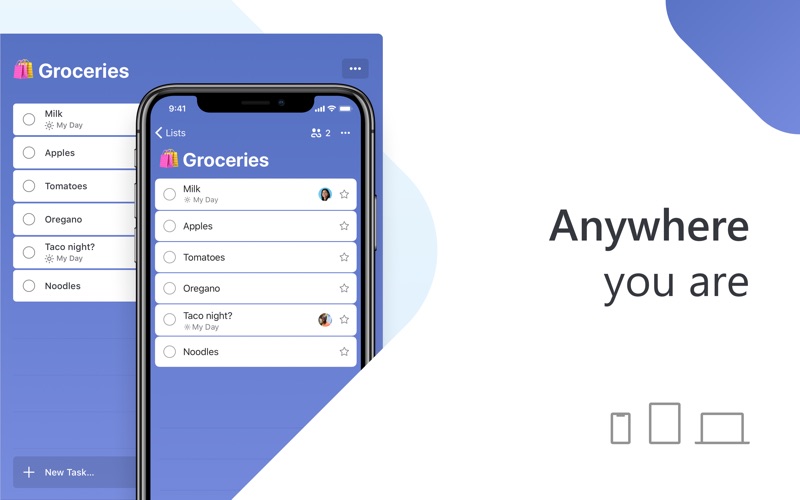
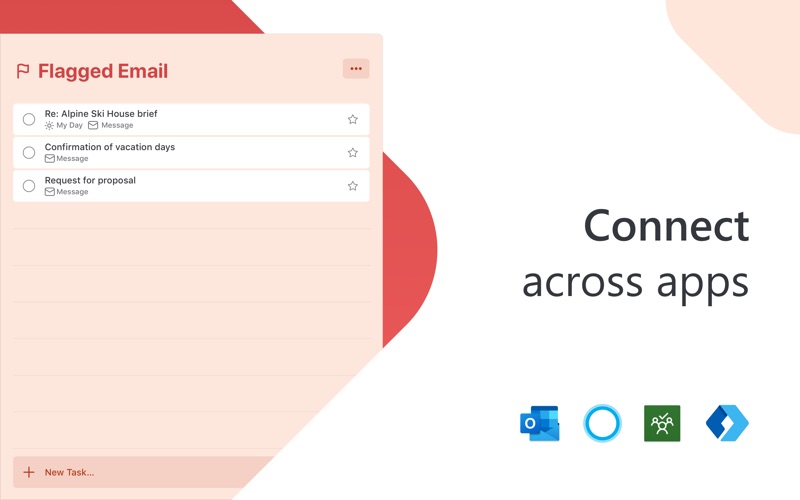
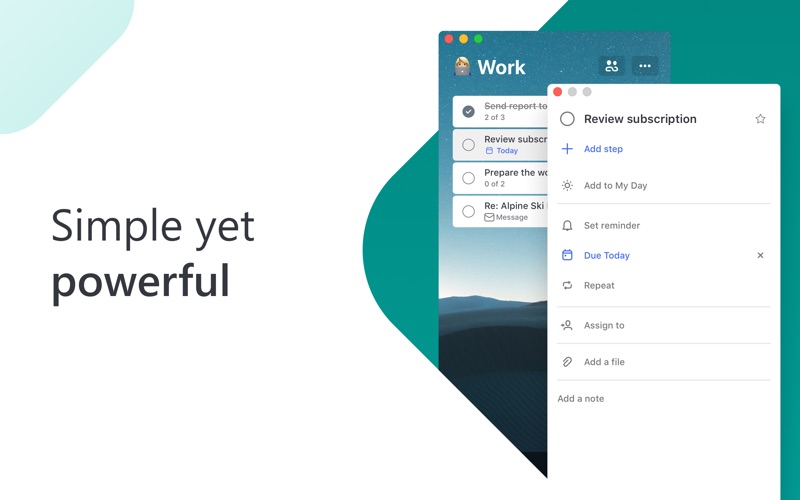
Stay organized and manage your day-to-day with Microsoft To Do. Make shopping lists or task lists, take notes, record collections, set reminders and more to improve your productivity and focus on what matters. Microsoft To Do is the task management app that makes it easy to stay organized and manage your life. Accomplish what’s important to you each day with My Day and Suggestions, personalized day planner tools. Daily tasks are simple with To Do, from grocery lists to housecleaning routines. Intelligent suggestions recommend tasks from across your lists that may be relevant each day. Microsoft To Do helps you quickly capture and retrieve your lists and tasks across devices. Sync reminders and tasks with Microsoft 365 to access them anywhere. Capture tasks from different Microsoft apps and services and sync them with Microsoft To Do, from flagging emails as tasks in Outlook to lists from Cortana. Your tasks and lists are hosted securely on the Microsoft 365 service. Make your lists unique with customizable features like emoji, colorful themes, dark mode and more. Stay connected and collaborate with friends and family by sharing lists to coordinate. Microsoft To Do Features: Daily Planner • Stay focused with My Day, a personalized daily planner with suggested tasks • Get your lists anywhere, on any device • Add notes to any task Task Manager • Share lists and tasks with your friends, family, colleagues, and classmates • Create color-coded lists • Set one-time or recurring due dates and reminders • Break your tasks into manageable steps • Attach files up to 25 MB to any task To Do Lists for Any Purpose • Bill planner • Shopping lists • Set reminders • Task management • Business calendar • Note taking • And more Microsoft 365 Integration • Sync your tasks between Outlook and To Do • Host lists and tasks with the reliability and security of Microsoft 365 • Compile tasks from across your Microsoft 365 apps and services Whether it's for work, school, or home, To Do helps you organize and simplify your plans. To Do is free and available on all your devices. Learn more: https://to-do.microsoft.com Follow us on Twitter: @MicrosoftToDo Have an idea or feature suggestion? https://go.microsoft.com/fwlink/?linkid=2171952 Need support? https://go.microsoft.com/fwlink/?linkid=2156547 By installing Microsoft To Do, you agree to the Microsoft Terms of Use: https://go.microsoft.com/fwlink/?linkid=842575

Screenshots

Reviews

  • It’s inevitable to miss a reminder!

    2
    By Cluehunt
    Can’t login to work and personal accounts. So, I’ll miss one or the other!
  • missing …

    1
    By Happy Ofc Mgr
    Entries should automatically dated…
  • BEWARE: Cross-device sync broken

    2
    By Joey Mamah
    A main reason I picked this for my ToDo list app was because it’s cross platform and syncs across all devices…. Or at least that’s what they claim… Over the past year I’ve noticed an issue where tasks will sometimes not sync across devices, so when you close the app you created the task on then BOOM! The task you created is fully lost and not synced anywhere. This is a known issue that’s been reported and Microsoft isn’t addressing
  • Prefer classic to do

    1
    By dmenterprise
    … prefer classic Microsoft to do list with its functionality similar to spreadsheet… allowing for categories and on screen reading or simple browsing of what tasks are due remains my preferred method to using the to do app…
  • Intermittently crashes on Mac

    4
    By Silocade
    I find that the app Intermittently crashes on Mac right when I’m working on it and when I’m not and I constantly update.
  • Sync with CoPilot

    4
    By OMGJustSaveAlready
    I like the To Do list and have come to rely on it completely. I like that I can flag an email for follow-up or add my own to-do item, and they are all kept in the same place. A few things to make it better: 1) I want CoPilot to be able to search my completed tasks and write a summary of what I’ve done, but it cannot search To Do. It would be better if CoPilot could access these items. 2) in the Mac version, I cannot choose an importance level or select a category for the items 3) I would like a view that incorporated my tasks, grouped by due date, with tasks without a due date listed at the bottom. “Planned” view allows my tasks to be sorted by due date, but it doesn’t include tasks without a due date. 4) I would like the option to have my to-do list docked with my calendar or email so I can see my meetings along with my to-do list items on one page. I believe this is available on Windows, but I cannot do it on my Mac.
  • Mostly good

    4
    By CapJack77
    Overall, pretty seamless between devices and for sharing. However, it’s a multistep, multi-app PITA when you invite someone for the first time to a new list - send a text, login via a browser, then finally get access to the list in the app… Fix that!
  • Poco Flexible

    3
    By edinsigna
    La aplicación es poco flexible y no permite ordenar la información de manera personalizada. La usabilidad es deficiente.
  • It’s good

    5
    By 3v3ryN1ckn@me1s60n3
    I have family that uses index cards for what they need to do that day. A single index card shows all the musts for a single day. There’s truly not that many. This is better than apple note by leaps and bounds, though it’s less than chaos control or omniplan. I’m just not sure if it’s better than physical index cards.
  • Poor interface

    2
    By BlueGuru
    Why does Microsoft design things that are so unintuitive? It shouldn’t be so hard to move items around. Clicking and moving around and most of the time the list scrolls WAY too fast to get into proper placement, or an item gets transferred into another item as a Step. Frustrating.

Comments

keyboard_arrow_up

Buy this script Now!