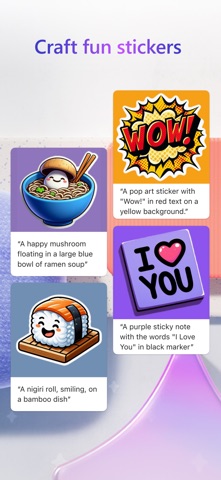
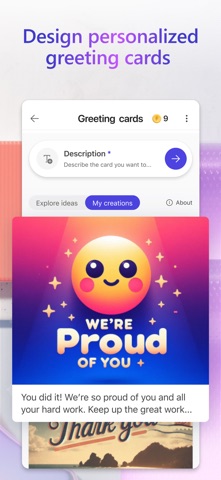
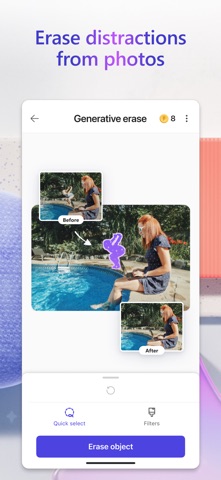
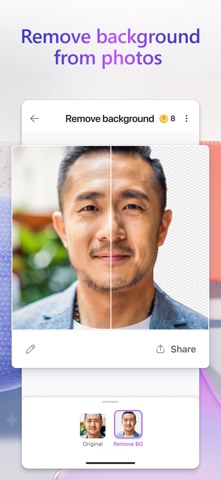
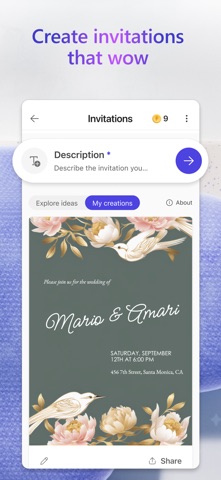
Unleash your creativity — visually create, design, and edit just about anything you can imagine with AI. Use the power of generative AI to create eye-catching images with your words, craft next-level designs that pop like personalized birthday cards, holiday cards, wallpapers for your phone, and even use AI to edit photos like an expert - removing backgrounds and erasing distractions from photos. Create what you want, when and where you need it. Key capabilities: • Images: Create any image you can imagine. Sci-fi art, surreal scenes, funny images? Dream it, describe it, and create it with AI. Your imagination is limitless! • Stickers: Create something that sticks. Make custom stickers that help you stick out on messaging apps, social, and more. • Edit with AI: make your photos and images picture perfect with AI. o Generative erase: Erase distractions to make objects you don’t want in your image disappear. o Remove background: Say bye-bye to bad backgrounds. Easily remove unwanted image backgrounds in one step. o Blur background: Bring what’s most important into focus. Blur the background of any image to make your subject pop. o Add filters, adjust brightness, resize: Customize to fit your creative vision, including resizing to turn your creations into a square or custom size that fits just right. • Wallpapers/Backgrounds: Put it all on display. Create custom wallpaper or background to fit your current mood, make a statement, or to keep a special occasion front and center on your phone screen. • Greeting cards: Craft the perfect greeting for any occasion. From birthday cards to holiday cards and beyond, create a thoughtful greeting card with personalized messages and images even if you’re at a loss for words. • Restyle image: Transform photos into a work of art—like turning portraits, landscapes, and pet photos into artwork. • Monograms: Make your mark. Add some personal pop to your everyday life or for a special occasion like a wedding with custom crafted monograms that use letters and more to define your mark. • Invitations: Create invitations that wow. Customize your invitations for every occasion and any event like birthdays, weddings, and anything else big or small. • Social posts: Stand out online. Elevate and craft your next social post with Designer to create the perfect image and text to share online. • Icons: Express yourself visually. Create icons to easily communicate your vision and decorate your designs. • Emojis: Express yourself! Have the perfect reaction on hand with custom crafted emojis to fit any mood. • Coloring book pages: Color it in and get in your flow. Create custom coloring book pages to make coloring more exciting. Great for all ages. • Frame image: Turn your photos into a customized framed memory that you can share everywhere. • Collages: Bring your favorite photos, styles, and descriptions together create a custom collage from your favorite memories. • Banners: Create banners for newsletter headers, social profiles, and more to grab attention and stand out. Microsoft Designer is available for free with a Microsoft account. Your Microsoft account provides 5 GB of free cloud storage that you can use to save your designs, files, and photos across your devices. Additional information about terms of use can be found here: https://designer.microsoft.com/consumerTermsOfUse/en-US/consumerTermsOfUse.pdf Download Designer and create something new today!