Final Cut Pro

Final Cut Pro

By Apple

  • Category: Photo & Video
  • Release Date: 2011-06-21
  • Current Version: 12.4
  • Adult Rating: 4+
  • File Size: 5.97 GB
  • Developer: Apple
  • Compatibility: Requires iOS 26.6 or later.

Description

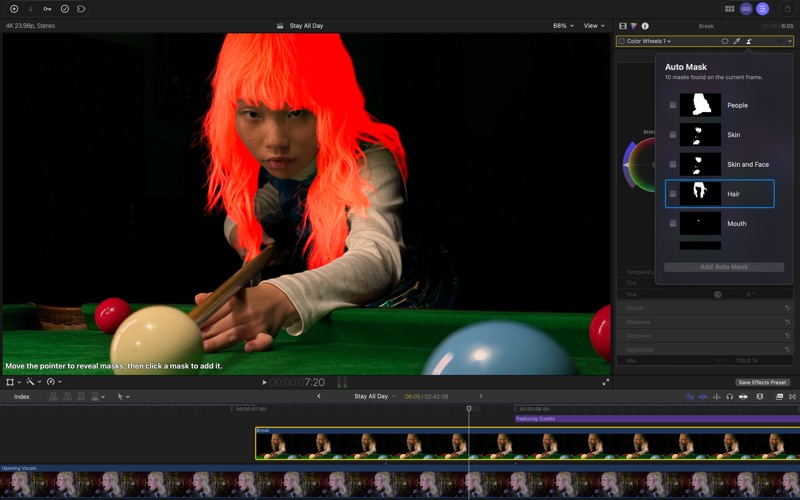
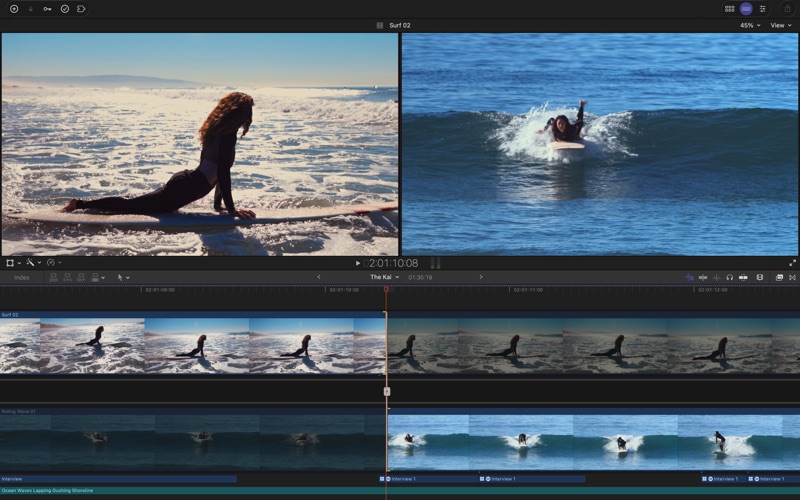
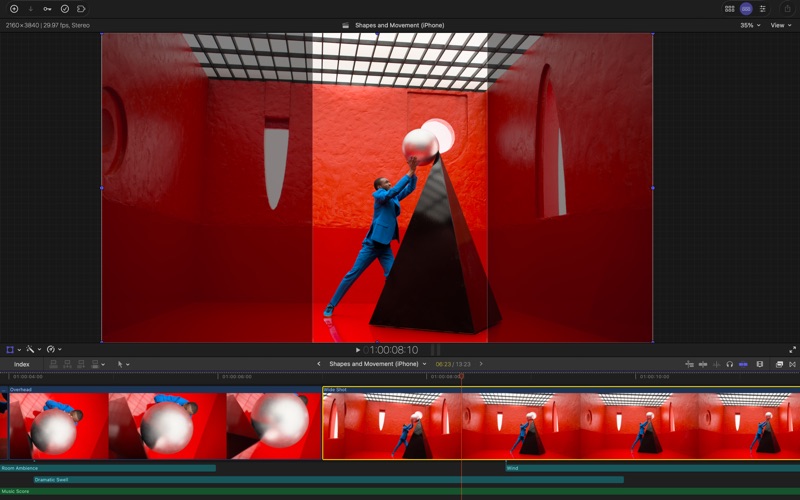
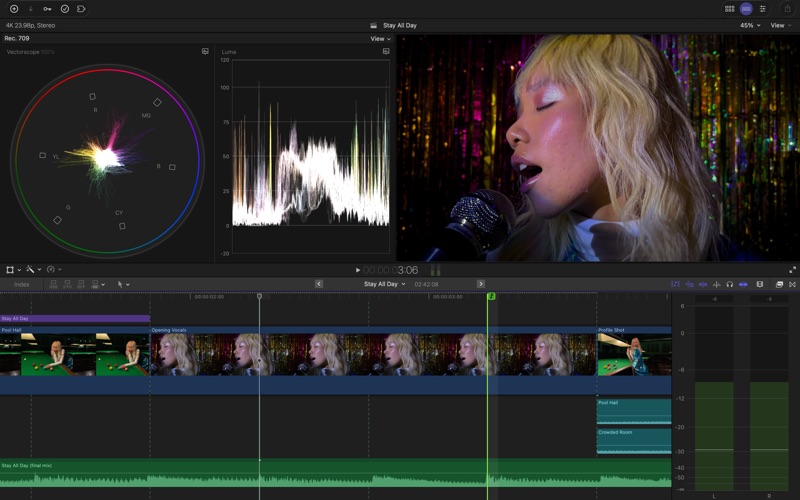
Final Cut Pro combines revolutionary video editing with powerful media organization and incredible performance to let you create at the speed of thought. Revolutionary Video Editing • The Magnetic Timeline uses advanced metadata and Clip Connections for faster, easier editing • Generate Captions uses AI to create closed captions or animated subtitles in the timeline by analyzing spoken audio • AI-powered Magnetic Mask automatically tracks and isolates people, objects, and shapes in any footage • Automatically transform projects for square or vertical delivery with Smart Conform Powerful Media Organization • Organize your work within libraries for efficient media management • Apply custom keywords or favorites on the fly as you select clip ranges • Intelligent search tools make finding the perfect soundbite or visual simple and fast Incredible Performance • Unrivaled speed and efficiency with optimizations for the latest generation of Apple silicon • Work with a broad range of formats including ProRes, ProRes RAW, RED, XAVC, AVCHD, Avid DNxHR®, Avid DNxHD®, H.264, HEVC, and more Compelling, Customizable Effects • Beautifully animated, easily customizable 2D and 3D titles • Change the look of titles, transitions, and effects using intuitive controls • Choose from an ecosystem of third-party FxPlug plug-ins with custom interfaces Integrated Audio Editing • Assign roles during import to easily track and organize your project • Expand and edit multichannel audio files directly in the timeline • Apply audio effects and reduce background noise to isolate vocals using powerful plug-ins and technology from Logic Pro Intuitive Color Grading • Powerful color wheels and curves for precise adjustments with keying and masks • Automatically tone-map clips to match HDR or SDR color space • Take advantage of ProRes RAW video shot on iPhone 17 Pro or later for even more grading flexibility One-Step, Optimized Output • Incredibly fast export for playback on Apple devices and upload to platforms such as Instagram and YouTube • Export audio stems and multiple versions of a finished video using roles metadata • Import and export XML for third-party workflows like color grading and sound mixing System Requirements: macOS 26.6 or later, 8 GB of memory (16 GB recommended), Metal-capable graphics card (Intel-based Mac computers only), 7.2 GB of available disk space. Some features require a Mac with Apple silicon. Some features require internet access; fees may apply.

Screenshots

Reviews

  • Need to make it easier to dump files, libraries etc

    3
    By ARoyalN
    Using Final Cut is easy but when it comes time to dump the media used to create something you'll never use again, it would be SO nice to be able to highlight and delete. Sure, put a "are you sure you want to delete, etc." but it's so painstaking and never actually removes what I'd like to get rid of. Old libraries etc.

  • Easy to use

    5
    By Idaman4
    Very easy to learn how to use. Was quickly able to learn and begin my journey as a content creator.
  • BEST VIDEO EDITOR HANDS DOWN!

    5
    By 0KC Thunder
    By far the BEST video editing software. The ease, simplification, makes editing video and audio so much faster.
  • New Crash Feature!

    1
    By MrBuffer
    Final Cut 12.4 introduced it’s newest Crash feature, where it crashes and shuts down the app in multicam, effects, and various other mundane tasks. What’s really cool is how random it is, but you can always report the issue where you know someone is actively reading and working to resolve the issue.
  • I getting the hang go it

    5
    By Karenane
    I was nervous about using this but I getting the hang go it and I love it these apps should come with a manual lol
  • FCPX and School

    5
    By DocPraetorius
    ABSOLUTELY FANTASTIC!!! I teach multiple disciplies in high school-Engineering and Design Tech, Anatomy and Physiology, Zoology and Cinema and Digital Filmmaking. I use FCPX to create instructional videos for all of my classes as well as use it in the digital filmmaking class. Don't leave home without it!
  • Stability has gone out the windows

    3
    By KoreanSeats
    Audio rendering issues on stock settings, freezes and constant setting resets required to get any work done. Maxed out M1 Max with the same workflow, and has got significantly worse and more frustrating since 12.x update.
  • Even Great for a Novice

    5
    By Weightlossisme
    Love Love Love this App, I’m an idiot and I figured it out, some of it is a challenge but it’s worth researching and that’s what makes it fun
  • Its good…

    4
    By JohnnyGString69
    It could use all the fun stuff CapCut has for titles, and things like that, all included for the price!
  • SIMPLE

    5
    By Coyoteshawn72
    It can do much more than I use it for but the “Apple” designed timeline and ease of everything make this a great value!

Comments

keyboard_arrow_up

Buy this script Now!