Microsoft Copilot

Microsoft Copilot

By Microsoft Corporation

  • Category: Productivity
  • Release Date: 2025-02-26
  • Current Version: 25.6.440430001
  • Adult Rating: 12+
  • File Size: 100.90 MB
  • Developer: Microsoft Corporation
  • Compatibility: Requires iOS 14.0 or later.

Description

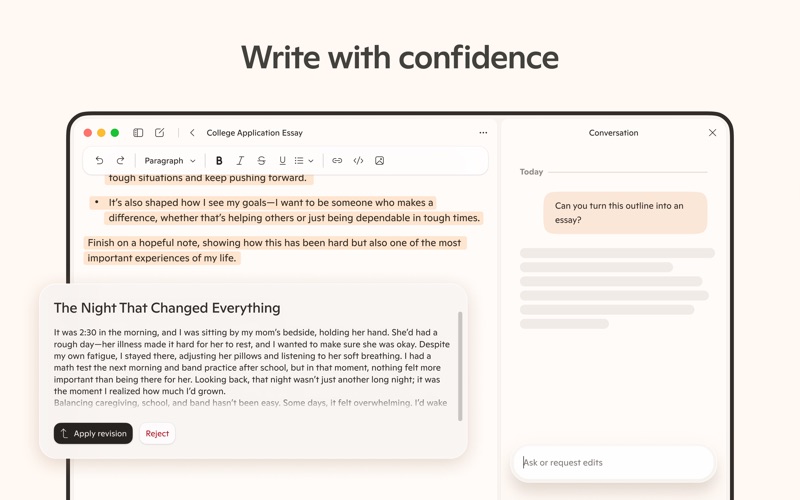
Microsoft Copilot is your daily AI companion. Talking with Copilot is an easy way to learn, grow and gain confidence, all with the help of the latest OpenAI and Microsoft AI models. Accomplish anything with Copilot’s AI chat assistant. Our AI photo generator helps you create images from words. Chat with AI to get a fresh perspective on your ideas. Air your thoughts out and get the support you need with Copilot’s AI chat assistant. Copilot is your AI helper that boosts productivity, acts as your personal AI writing assistant, and drives business. Chat with AI, either through messages or with your voice, to bring the vast world of information straight to you. Your personal AI can answer hard questions and give straightforward answers, giving you complex insights from simple conversations. Microsoft Copilot is in your corner and by your side for whatever comes your way. Your AI chat assistant can help when you want it to and give you a boost for when you’re almost there. Explore endless possibilities with instant sharp summaries, helpful rewrites, or AI image generation. Our AI writing assistant can write, edit, or research topics to create well-rounded content. Smart AI technology allows you to use a text prompt to create artwork or designs with our AI photo generator. From finding inspiration on new projects to creating a grocery list with AI shopping - with Copilot, you’ve got this. Achieve more with Copilot, the ultimate AI companion. Work smarter, enhanced with AI chat assistant • Smart AI gets you summarized answers quickly - get straightforward answers to your complex questions, all from simple conversations with our AI helper • Chat with AI to simplify your grocery list or weekly meal prep list with a shopping list generated with AI • AI chat assistant can translate and proofread across multiple languages, optimizing the text you need in hundreds of languages, including regional dialects • Compose and draft emails, cover letters, and update your resume AI voice chat with Copilot is the support you need, when you need it • Compose stories or scripts when you talk to our AI helper • AI photo generator technology turns your ideas into reality • Create high quality visuals from text prompts, rendering your concepts into stunning visuals, from the abstract to the photorealistic with voice chat • AI chat assistant can spark inspiration for a new task Your AI companion and AI photo generator • Search by images with AI helper • Explore and develop new styles and ideas, including logo designs and brand motifs • Create illustrations for children's books • Curate social media content • AI image generation helps you visualize film and video storyboards • Chat with AI to help build and update a portfolio Copilot combines the power of AI with the imaginative capabilities of the latest OpenAI models all in one place. Download Microsoft Copilot, the AI companion that’s here to help.

Screenshots

Reviews

  • Another bit in my bit box.

    4
    By JBlongzX
    I run my own local LLMs and use commercial products too. Copilot is good a getting updated information, troubleshooting some common tech issues with cited references, and digesting small log files. What it lacks is the robustness of exporting chats and presented data into other document formats. Sometimes it offers the option, most times it does not. Gemini is more consistent at that. Past conversations should be searchable. There’s a lot of UX to improve.
  • new upgrade

    1
    By qkvette
    What was easy is now just about useless for me.
  • Does nothing for users with corporate accounts

    1
    By cohete loco
    If you’re using an Entra ID work account this isn’t even a wrapper app for the Copilot web app. It makes you sign in, and then is literally a link to copilot.cloud.microsoft And that’s it. Do you need the app to get to cloud.cloud.microsoft? No. Does it help if you have it? No. You’re better off opening the URL in Safari and then go to the menu bar >> File >> Add to Dock… I mean really Microsoft. How hard is this?
  • Huge helIp and makes jobs so much easier

    4
    By mikevialpando
    Love the hep on writing and other content enhancement suggestions. The only thing I wish it was more proficient in, is in image enhancements and larger conversions, along with creating high resolution images that can be converted to Vector format for editing in Illustrator. It does work somewhat but if you work with the AI a lot on one project, it will create something that cannot be converted over to vector in the end.
  • Wrong 1/2 The Time

    1
    By Rick11803
    I’ve been using copilot for the past few weeks to perform a wide range of tasks. Short version is about half the time it is a useless tool that cannot perform the simplest of tasks even after many attempts and apologies. Many times it has made matters worse. Not reliable and not ready for primetime.
  • Pretty useless

    1
    By LeftyLawdawg
    I tried to paste code files into copilot because it told me it could accept them and review them for me. Nope, you can’t paste more than 10,240 characters or it will not event try to read it. Pretty poor. If you want any kind of code review, go somewhere else like ChatGPT or Claude
  • Not useful for productivity

    1
    By jraviotta
    Microsoft, Your Copilot iOS app is failing at a basic level. File uploads — a core function — simply do not work. ZIPs are blocked, PDFs are blocked, even tiny files are blocked. The app reports that I have hit daily limits with no workaround. Support links lead to dead ends or unrelated product categories. The “App Support” path is inconsistent and unreliable. The result is simple: the product cannot perform the task it advertises. This is unacceptable. If Copilot cannot ingest files, it cannot be used for real work. Fix the upload system, fix the error messaging, and fix the support pathways. Right now the experience is broken. Moreover, tasks take too long to run and strategies often fail to complete tasks. The user experience is significantly different on different platforms.
  • Good but slow

    3
    By cinderance
    Good but slow
  • Good ai

    5
    By James Trapnell
    Great ai best one I have ever used the voice chat I like a lot
  • COPILOT it is great!

    5
    By Orejaiv7
    So far the experience I’ve had with this A.I. is amazing. You can chat, send voice messages, and get your response right after you pressed enter key. The possibilities you can achieve with COPILOT are incredible beyond expectations, whether is coding, collage’s assignments which require more than reading or searching on physical books.

Comments

keyboard_arrow_up

Buy this script Now!